Overview
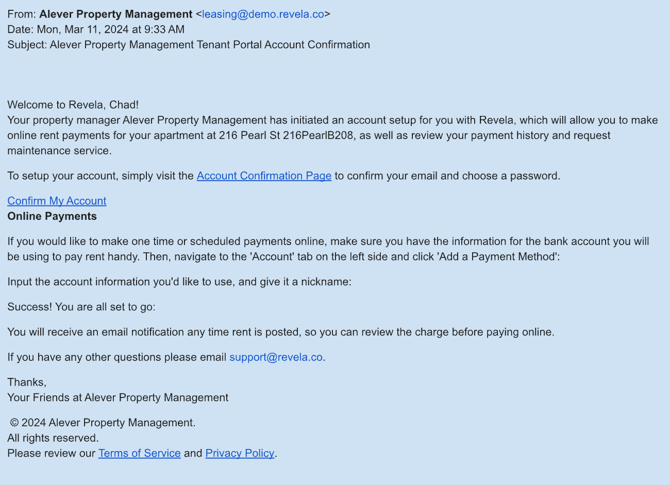
Purpose: This guide explains what a tenant’s Portal Invite email looks like and what to do if they cannot find it.
Target Audience: Leasing agents, property managers, and tenants.
Understanding the Portal Invite Email
- When a Portal Invite is sent to a tenant, the system automatically generates an email
- This email contains a link for the tenant to activate their portal access
- No edits can be made to this system-generated email
What to Do If a Tenant Cannot Find Their Portal Invite Email
- Ask the tenant to check their Spam or Junk folder
- If the email is not found, verify that the correct email address was used when sending the invite
- If necessary, resend the invite through the system
Best Practices, Tips, and Notes
- Remind tenants to whitelist Revela’s email address to avoid future emails going to spam
- Ensure tenants activate their account promptly before the invite link expires
Common Issues & Troubleshooting
Issue 1: The tenant did not receive the Portal Invite email- Solution: Confirm the email address is correct and resend the invite if needed
- Solution: Send a new Portal Invite to generate a fresh activation link