
Revela empowers your business to track and manage vendor relationships, streamline accounts payable, and maintain compliance by centralizing vendor details, payment information, and insurance records under one digital roof.
We recommend adding your vendors into Revela to easily track your accounts payable. Navigate to Properties > Vendors to view your current list of vendors.
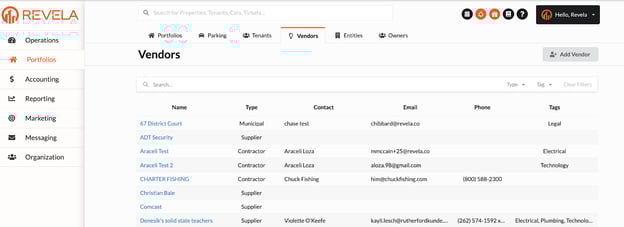
Adding New Vendors in Revela
- To add a new vendor, simply select the grey, Add Vendor button at the top of the Vendor Summary Page.
- Fill out the required fields for the new vendor’s information
- Click “Create Vendor” once all required fields are completed
Adding Vendor Bank Accounts:
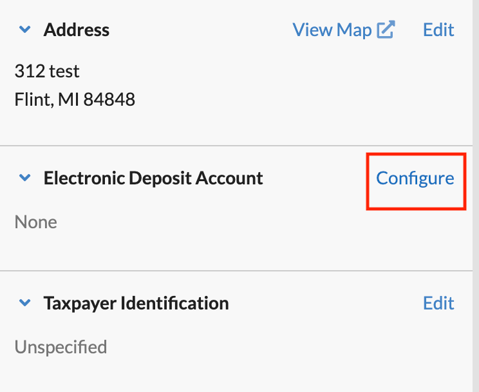
Vendors who prefer to receive electronic payments via ACH for services rendered will need to have an Electronic Deposit Account configured. To do this, please do the following:
-
Navigate to the vendor page by going to Portfolios > Vendors.
-
Select 'Configure' on the Electronic Deposit Account (Right Hand Side)
- Please note: In order to configure Electronic Deposit Account information for a vendor, they must first have an address on file for verification. To add a vendor’s address, please click Actions > Edit on their profile.
Vendor Insurance Tracking
Revela allows users to track vendor insurance compliance through the vendor profile. Please note, all new vendors are prompted to add their insurance information in the Vendor Onboarding process, as shown below:
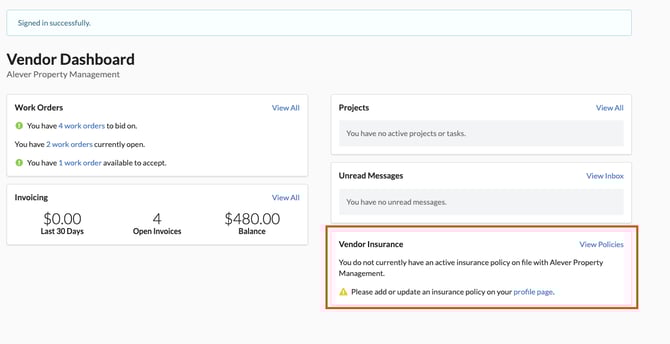
Vendors can ensure they remain compliant by uploading their insurance policy (and required COI details) within their Vendor Portal, as shown below:
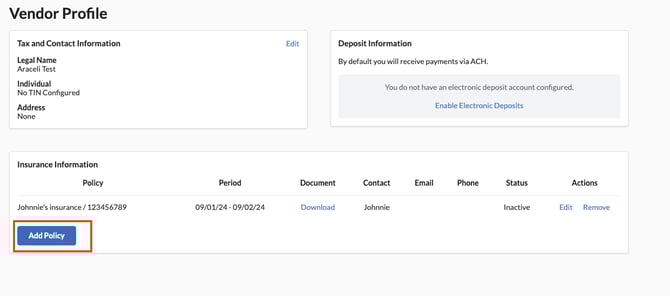
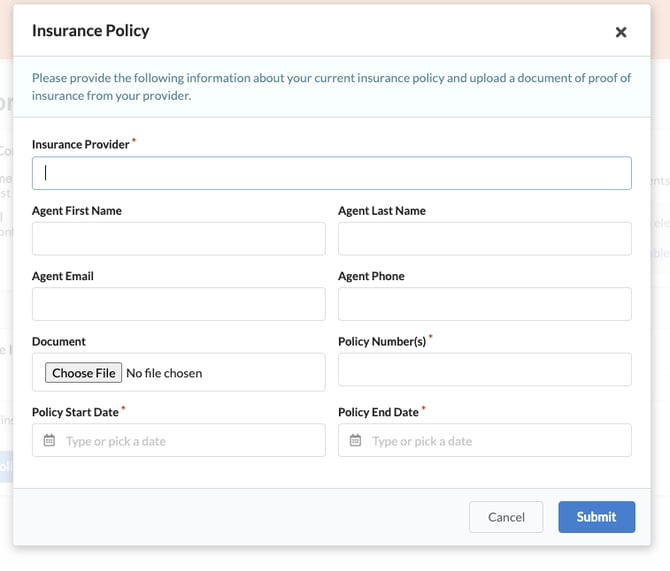
Revela will notify the vendor and the property management company 60 days before the expiration of the policy to request a new certification, at which point the vendor will be able to go into their profile and upload a new policy document.
Important Reminders
- When creating a new vendor, please select the correct vendor type (Contractor, Financial, Utility, etc.). This will be crucial when creating 1099 filings in January.
- Verify the mailing address. This is important if a vendor prefers physical checks for payment.