
Overview
- Purpose: This guide provides an in-depth understanding of the Pulse tab in Revela, highlighting its key features and how it enhances property management.
- Target Audience: Property managers, leasing agents, and admins.
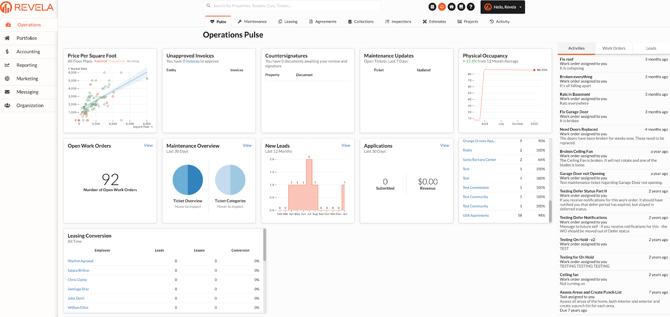
Key Features of the Pulse Tab
Approval Metrics
- View the number of unapproved invoices awaiting review and approval.
- Receive countersigner notifications for documents needing review and signatures to ensure timely processing.
Maintenance Overview
- Access a summary of maintenance tickets submitted over the last 7 days.
- Track the open work orders count and view the maintenance status, distinguishing between resolved and unresolved tickets.
Occupancy Statistics
- Check the current physical occupancy rate (e.g., 86% as of March).
- Review historical occupancy trends to understand changes over time.
Lead Generation Insights
- Track the number of new leads interested in moving into your properties over the past 12 months.
- View application submissions from the last 30 days and the revenue generated from these applications.
Available Units
- Get a list of all properties under management.
- See an overview of available units and their current occupancy status to identify leasing opportunities.
Conversion Metrics
- Assess property managers’ performance in converting applicants to leases.
- Compare individual success rates across your team to identify top performers and areas for improvement.
Common Issues & Troubleshooting
Issue 1: Metrics not updating in real-time.- Solution: Ensure your system is synced and updated. Contact Revela Support if delays persist.
- Solution: Verify data entries in associated tabs (e.g., Leasing, Maintenance) for accuracy.
Link to Video