
Managing late fees effectively is essential to enforcing your lease terms. Revela supports two late fee frameworks that can coexist within your configuration: Per Charge Late Fees and Total Balance Late Fees. Per Charge Late Fees are assessed on an invoice level (e.g., on monthly rent charges) and can be created separately from Total Balance Late Fees.
Meanwhile, Revela's Total Balance Late Fee configuration gives you the ability to assess late fees based on a resident's total outstanding balance, rather than on a per-charge basis. This is especially useful for portfolios that follow a tiered or recurring late fee structure. For instance, if your management company charges a flat fee on the first day rent is late, followed by a daily fee that continues to accrue through the end of the month, this can be configured using the Total Balance Late Fee.
Configuring a Total Balance Late Fee
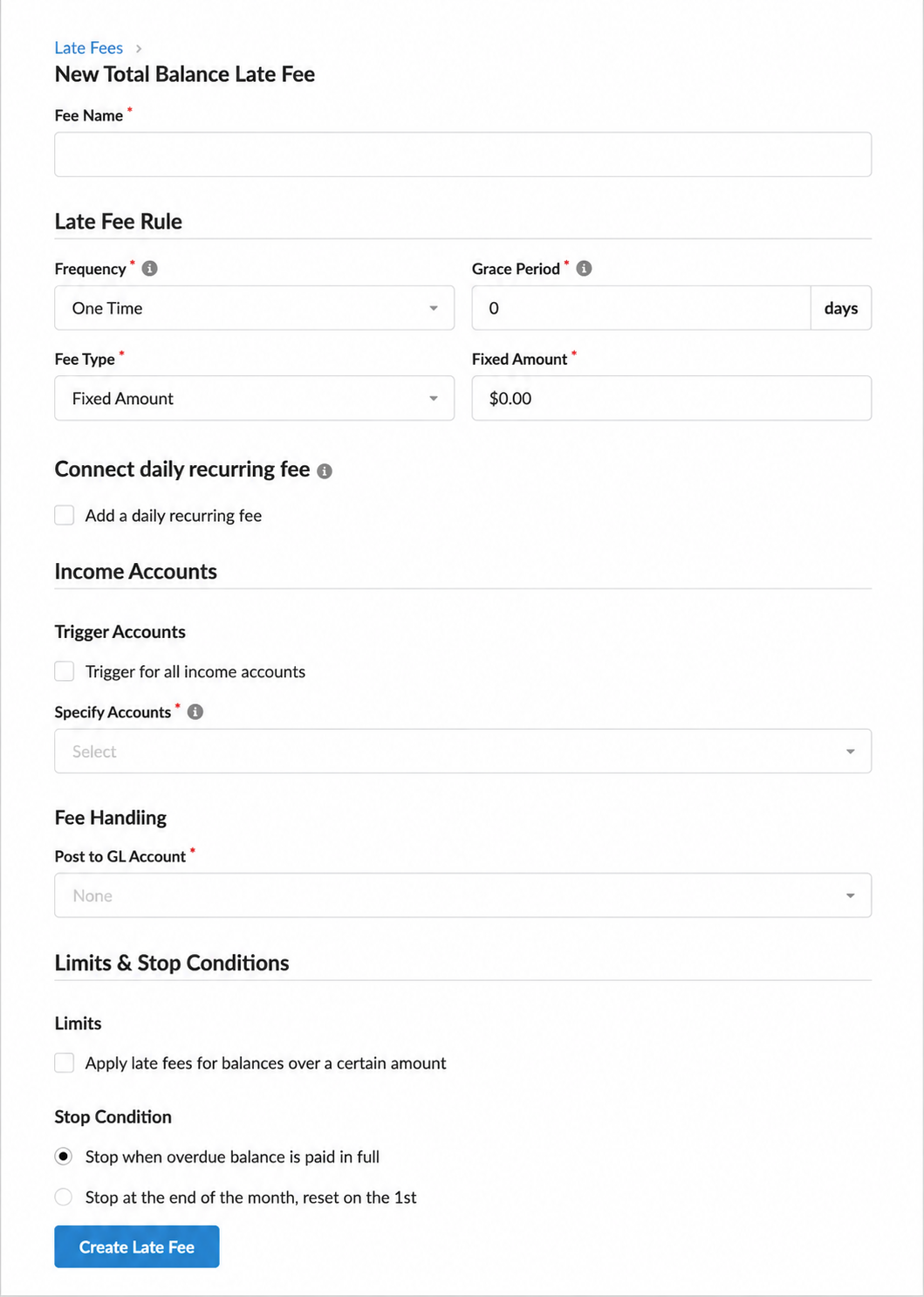
To add a new total balance late fee, follow these steps:
- Navigate to your property's configuration settings and select the Late Fees tab.
- Under the Total Balance Late Fees section, click Add Total Balance Late Fee.
- Enter a name for the late fee rule.
- Select a Frequency
- Choose One Time for a fee that triggers once per late event, or configure a recurring option as needed.
- Set a Grace Period to define how many days after the due date the fee will begin to apply.
- Choose whether the initial late fee will be a Fixed Amount or a Percentage of the outstanding balance, and enter the corresponding value.
- If your policy includes a recurring daily fee after the initial charge, click to add a Daily Recurring Fee and enter the amount.
- Select the appropriate GL Account to map the late fee income.
- Revela allows you to select a specific account (such as Late Fee Income) or to apply the fee across all income accounts. Selecting a dedicated GL account is recommended for cleaner financial reporting and easier reconciliation. However, you can also trigger the fee across all income accounts if applicable.
- Define your Stop Condition
- The Stop Condition tells Revela when to stop accruing late fees for a given billing cycle. If you set the stop condition to the end of the month, fees will continue to accumulate daily until the last day of the month and then reset on the first.
- Click Create to save the late fee rule.
Tips & Best Practices
-
Total balance late fees and per-charge late fees are independent configurations and can coexist within the same property setup. Adding or modifying a total balance late fee will not affect any existing per-charge late fee rules.