
Overview
-
Purpose: This guide explains how property owners can make a contribution to the property management company for upcoming expenses and projects on a specific property.
-
Target Audience: Property owners, Property managers
Step-by-Step Instructions
Owners can contribute and pay funds to any property that they own. This funds a property's balance. To make a contribution, log into the owner portal and the Dashboard will appear. Go to "Make a Contribution" on the right side of the screen.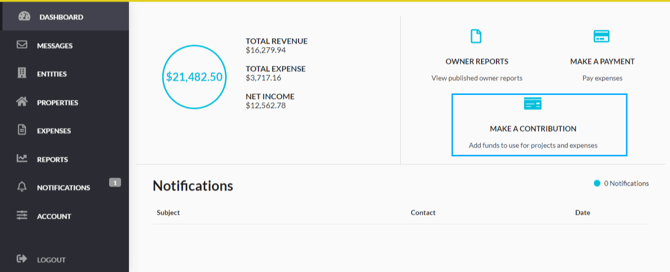
Select the appropriate entity from the dropdown menu, and determine which property to contribute to, and add the amount you wish to contribute and Continue.
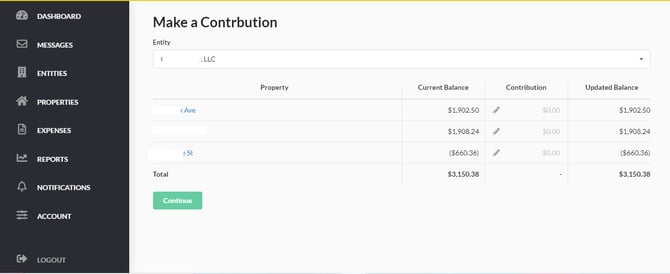
Select Continue, and choose the preferred payment method to fund the contribution. Click Submit.
Once an owner contribution has been made via the portal, a confirmation email will be sent to the email address on file for the owner.