Overview
- Purpose: Record payments to a receivable invoice.
- Target Audience: Accountants, Property Managers, and Employees.
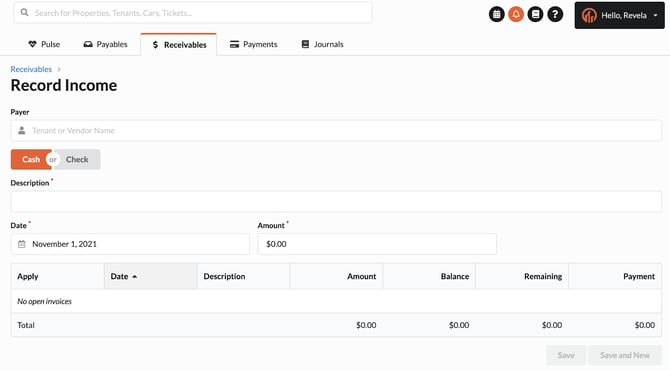
If you've received a payment and need to tie that income to an outstanding receivables invoice, navigate to Accounting > Receivables > Record Income button.
-
Select the Payer who made the payment.
-
Select whether the method of payment was Cash or Check.
-
Provide a description for the payment that will help identify what this payment was for.
-
Select the Date that the payment was made.
-
Enter the Amount that the payment was for.
-
Select an open invoice for the payment to apply to.
-
Click 'Save'. If you have another payment to enter, select 'Save and New'.