
If your management company, chapter, or house corporation receives money from a source other than a resident or member, such as event proceeds or a donation, it is important to record it as miscellaneous revenue in Revela so your organization's books stay accurate and up-to-date. Note: Resident or member payments should not be entered using this process.
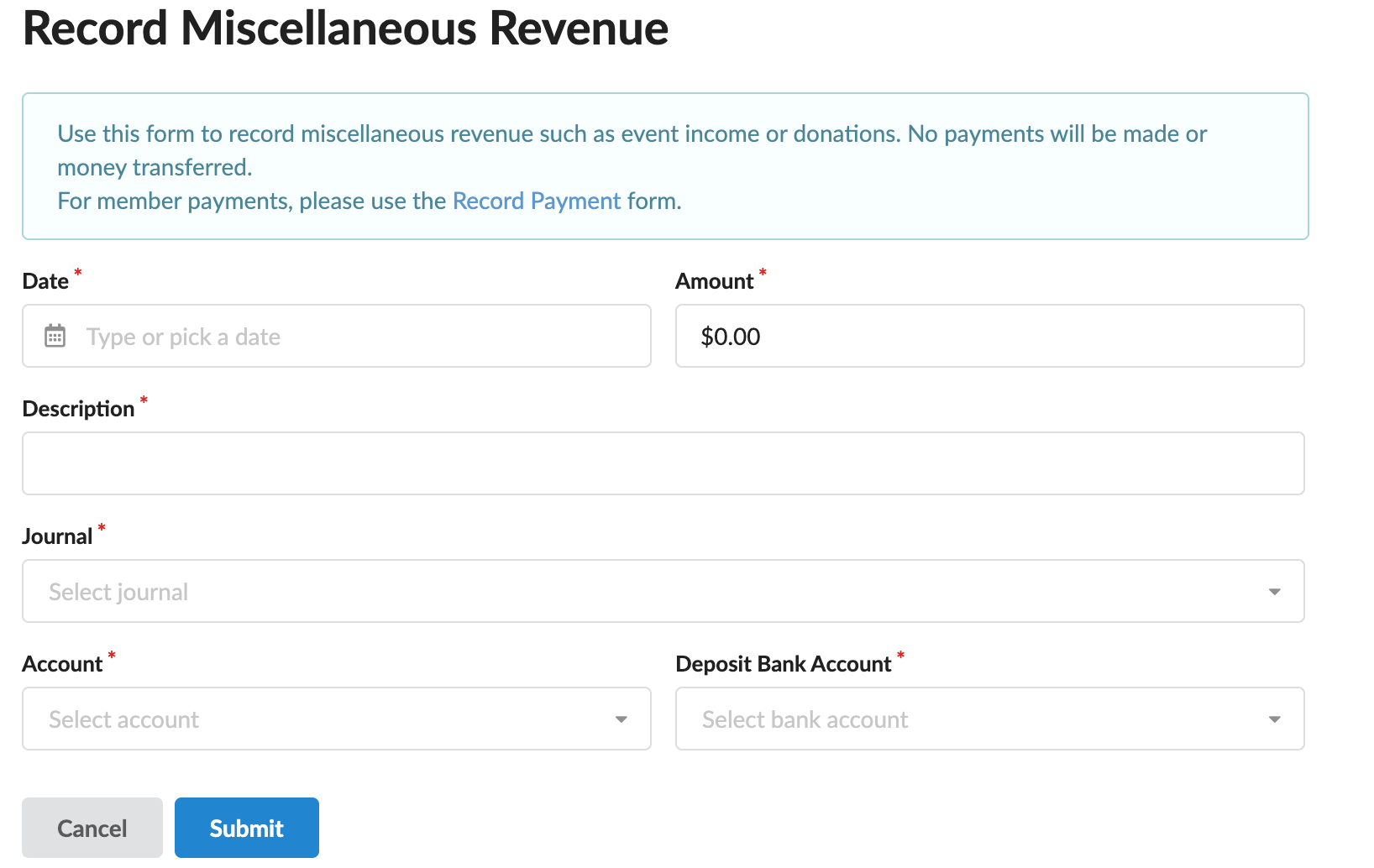
To record miscellaneous revenue, navigate to Accounting > Payments and select Record Revenue. This form only creates an accounting record. No payments will be made and no money will be transferred.
The following information is required when recording miscellaneous revenue:
- Journal - Select the entity the revenue belongs to.
- NOTE: Each Journal keeps its own separate set of books, so the correct Journal must be selected first.
- Account - Select the revenue category the money should be recorded under.
- NOTE: If you have access to more than one entity/chapter/HC/property, account options will not appear until a Journal has been selected, since each entity has its own chart of accounts.
- Deposit Bank Account - Select the bank account the money should be recorded as deposited into.
- NOTE: Like the Account field, options here depend on the Journal selected above.
- Date - Enter the date the revenue was received.
- Amount - Enter the amount that was received.
- Description - Enter a brief explanation of what the revenue is for (for example, "Founders Day ticket sales" or "Alumnae donation").
Once all required fields are complete, select Submit to file the entry into the organization's books. Select Cancel to return to the payments list without saving.
Tips & Best Practices
- Use a clear, specific Description so the entry is easy to understand later during a financial review. Never use this form to record a payment made by a resident or member.