When you make or receive a payment for an invoice outside of the Revela platform, it is important to mark the invoice as paid. This ensures the appropriate journal entries are created within the system and accounting activity is tracked and current.
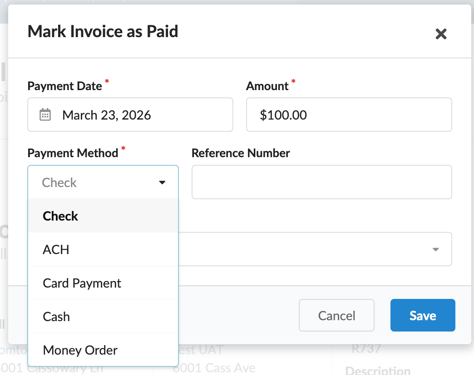
To mark an invoice paid, navigate to the invoice and select Actions > Mark Paid. The following information is required when marking an invoice paid:
- Payment Date - Enter the date the transaction occurred for accounting accuracy.
- Payment Method - Select the method of payment used by your company when the invoice was paid. Similarly, if you are marking a receivable invoice (i.e. rent, late fee, etc.) paid, select the method by which the tenant remitted payment. If applicable, add the reference number of the transaction as well.
- Account - Select the bank account that reflects where the payment was deposited into or paid out of.
Clicking Save records the transaction in Revela, where it will appear in the Ledger activity tab of the selected bank account and in reconciliation history once the month is closed.