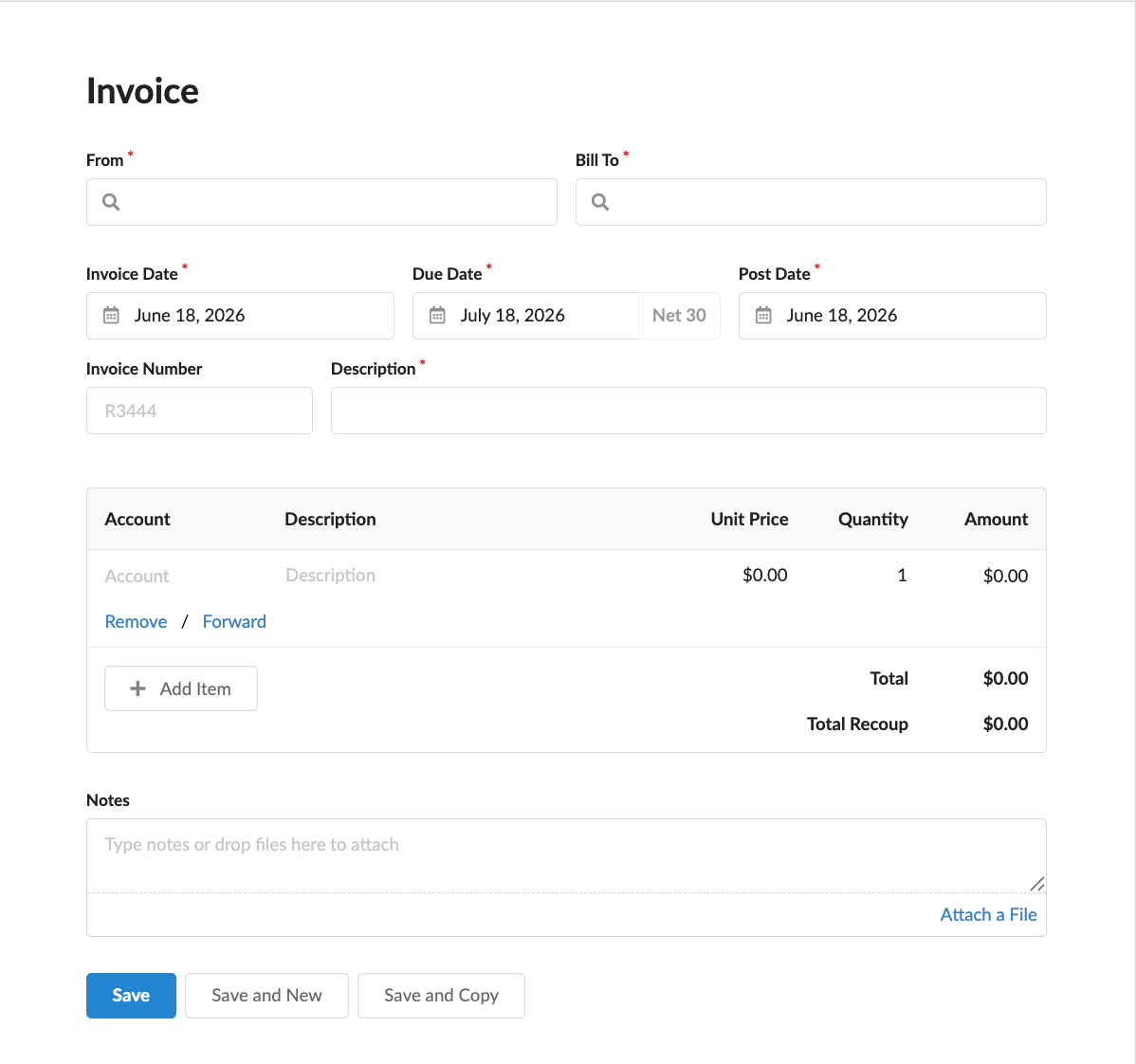
New invoices in Revela can be created in both the Payables and Receivables sections within the Accounting tab. When entered into Revela, payable invoices (money you owe) and receivable invoices (money owed to you) have an identical creation module; this module is divided into several sections that guide you through the invoice billing:
- The From field identifies the vendor or party the bill is from, while the Bill To field identifies the entity being billed (typically a property or your management company). Both fields use a search bar that lets you quickly find the correct party by name.
- The date section includes an Invoice Date (when the vendor issued the bill), a Post Date (when the charge should be recorded in your accounting), and a Due Date (when payment is expected). The due date defaults to Net 30 from the invoice date, but you can adjust it as needed.
- Enter the vendor’s Invoice Number for reference, and provide a Description that clearly identifies what the bill is for.
- The line items section is where you record the actual charges. Each line item requires a general ledger Account, a Description, a Unit Price, and a Quantity. Revela calculates the total for each line automatically. You can add as many line items as needed to capture the full bill.
- Notes or Attachments can also be added to provide additional context and detail for later reference or audit tracking purposes.
After inputting all required details, click Save to create the invoice. If you have additional bills to enter, use Save and New to immediately start a fresh form, or Save and Copy to duplicate the current invoice as a starting point for a similar bill.