
Creating an Estimate
-
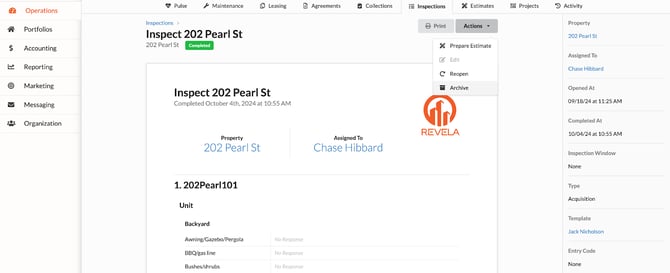
Go to Operations (left menu) > Inspections (top toolbar) tab to view inspections in progress
-
Find the Inspection ticket you would like to create an estimate for:
-
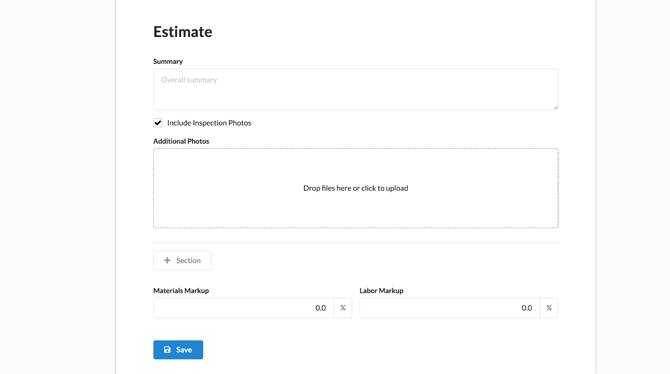
Click Actions (dropdown) > Prepare Estimate
-
If repairs are needed, create an estimate detailing the work required and costs involved
-
Attach photos if necessary and link the estimate to the inspection ticket
-
Adjusting/Editing an Estimate
- Navigate to Operations (left menu) > Estimates (top toolbar)
-
-
If changes are needed after the initial submission, reopen the inspection to make edits
-
Ensure to delete any linked estimates before deleting the inspection
-