
Overview
- Purpose: This guide provides step-by-step instructions on how to upload new tenant information into Revela using the Data Import feature.
- Target Audience: Property managers and administrative staff responsible for onboarding new tenants.
Step-by-Step
- Use the Data Import Link
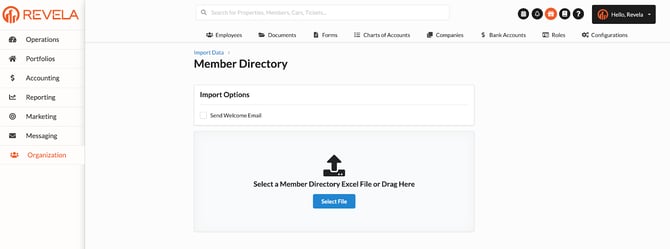
Go to this link: https://(yourdomain).revela.co/organization/data_imports/tenant_directories
- Prepare Your Spreadsheet
-
- Use the provided sample spreadsheet for uploading new tenant information.
-
- Include the following required details:
- Full Name
- Email Address
- Property Name
- Entity Name (Make sure these match the spelling used in Revela)
- You can locate the property and entity details within the portfolio section: Portfolio Management.
- You can locate the property and entity details within the portfolio section: Portfolio Management.
- Include the following required details:
- Enable the Welcome Letter Option
-
- Check the box labeled "Welcome letter" before uploading.
- This will automatically send an invitation for the new tenants to log in to Revela.