
Overview
- Purpose: Sometimes payments get applied incorrectly, and this is how to fix or apply unapplied (scheduled) payments.
- Target Audience: Accountants, property managers, and admins.
Step by Step
- Locate the Payment:
-
- Navigate to the tenant’s profile.
- Identify the payment that matches the balance amount.
- Apply the Payment:
-
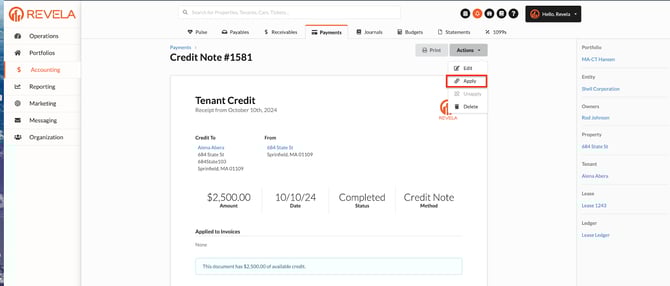
- Go to Actions -> Apply.
- Select the invoice you want to apply the payment to.
-
- The payment should now be applied correctly.
- The payment should now be applied correctly.
- If No Invoice Appears:
- Edit the invoice to assign a lease term:
- Navigate to the invoice.
- Select Actions -> Edit.
- Under Lease Term, assign the correct unit (even if unapplied).
- Edit the invoice to assign a lease term:
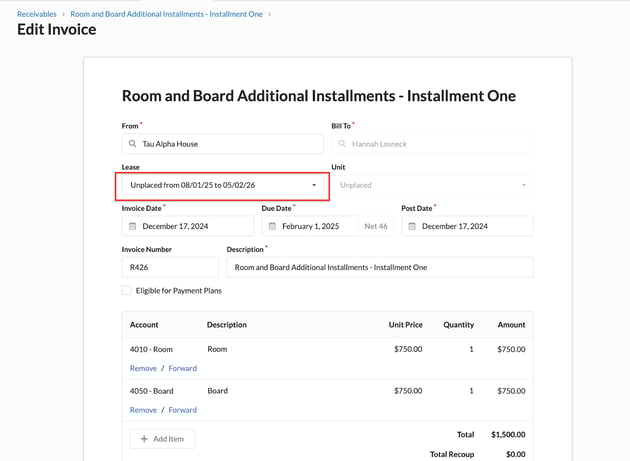
- After selecting the lease term, return to the payment and repeat the apply process.