Overview:
- Purpose: Instructions for Leasing Agents on how to add a pet record to a Lease Summary.
- Target Audience: Property Managers and Employees.
Step-by-Step
-
To add a pet to an existing lease, please navigate to the Lease Summary in Revela and select Actions > Edit.
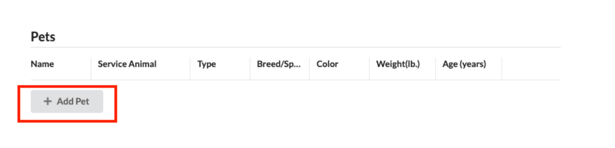
There is now a section that lives under the Lease Summary that is called Pets. In the Pets section, click the “Add Pet” button to add a Pet to the Lease Summary record, as shown below:
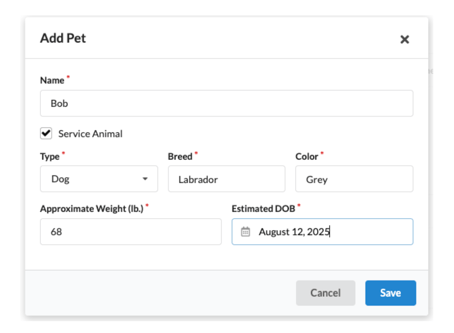
Please add the following information about the pet to the Lease Summary:
- Name
- Type
- Breed
- Color
- Weight
- Age
- Service Animal (if applicable)
-
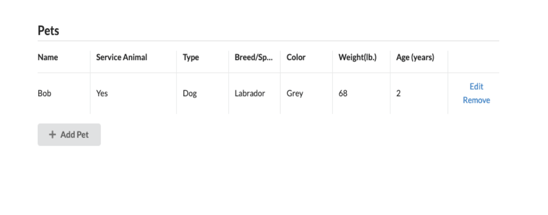
Once a pet is added, it will appear under the Pets section of the Lease Summary. To edit pet details, click on the Edit button. To remove a pet from the Lease Summary, click on the Remove button.