
Revela is rolling out an updated user experience across the platform. This article covers what has changed and how to navigate the new interface.
This update is designed to make your day-to-day work simpler and more intuitive, but it’s also more than just a visual refresh. It represents an important step forward in how the platform is evolving.
What's New?
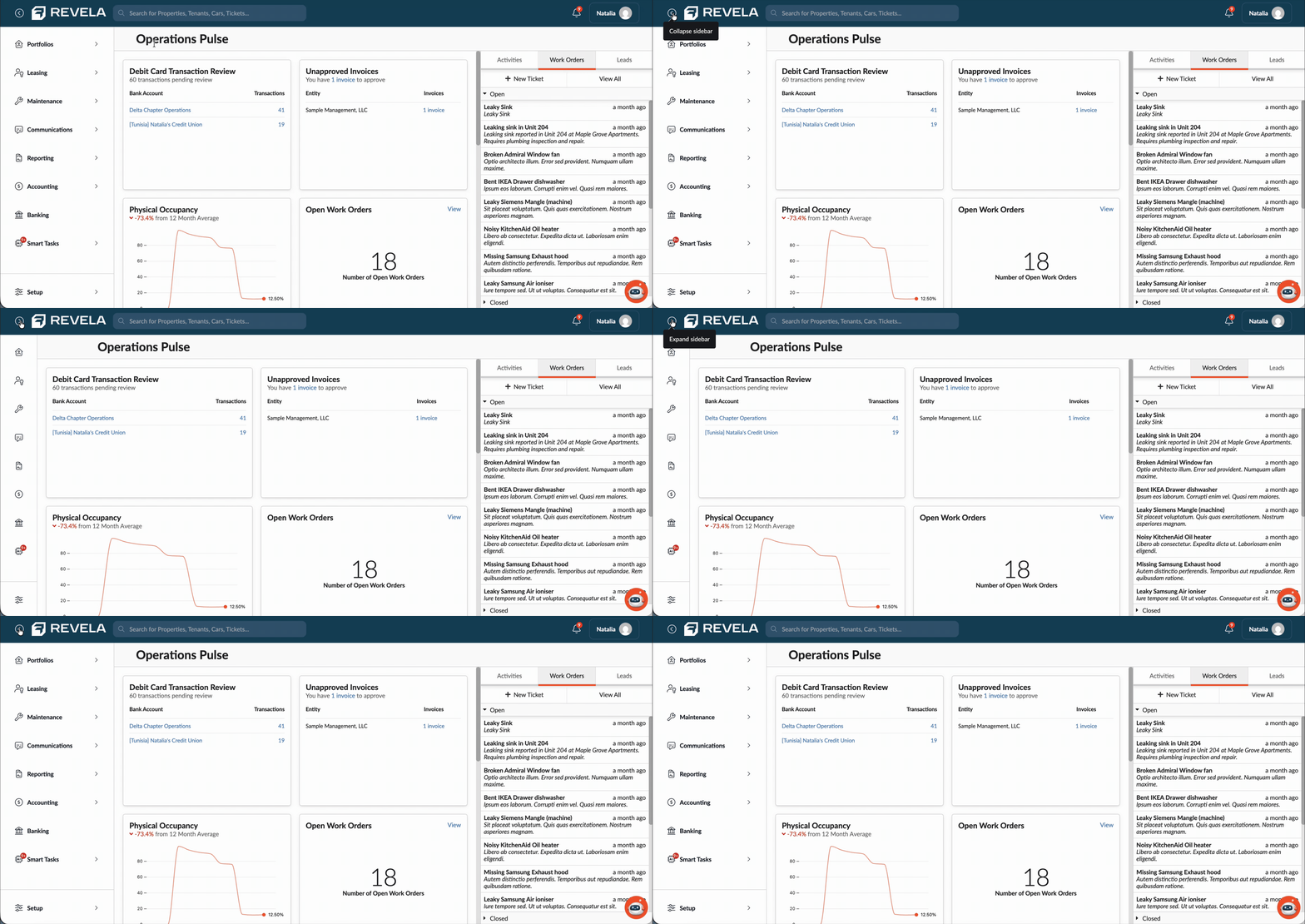
Collapsible & Expandable Navigation
You can now expand or collapse the left sidebar to reduce clutter and create a workspace that fits your preference.
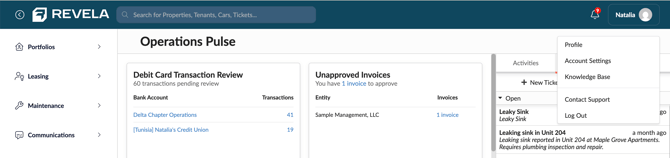
Streamlined Header
The header has been simplified with a modern navy design, refreshed icons, and Support and Knowledge Base actions have moved into an Account menu dropdown.
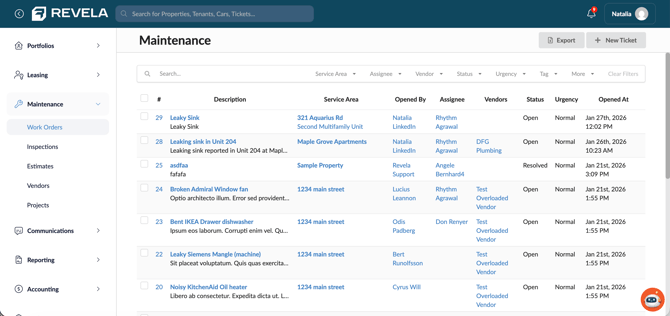
Improved Navigation Structure
Top-page tabs have been reorganized into sidebar subcategories to create a more consistent and intuitive experience across modules.
Portfolios
Portfolios continues to house properties, entities, owners, tenants, and parking within a more consistent navigation structure.
- Portfolios/Properties
- Entities
- Owners
- Tenants
- Parking
Leasing
Leasing is now its own top-level category in the main navigation, providing quick access to listing and leasing workflows.
- Listings
- Leasing Pipeline
- Agreements
- Collections
Maintenance
Maintenance is now its own top-level category in the main navigation, providing quick access to day-to-day maintenance operations.
- Work Orders
- Inspections
- Estimates
- Vendors
- Projects
Communications
With Communications, you have access to all your outreach tools, including emails, SMS messages, event forms, and letters — making it simple to manage resident and prospect communication from one central location.
- Broadcasts
- SMS
- Letters
- Forms
- Groups
Reporting
Reporting remains streamlined and powerful. You can access your report library, schedule reports, and manage report packages — all in one organized area designed to keep insights accessible and actionable.
-
Reports
-
Schedules
- Packets
Accounting
Within Accounting, you’ll find everything related to your financial workflows — including payables, receivables, and payments — organized clearly for easier day-to-day management.
-
Payables
-
Receivables
-
Payments
-
Journals
-
Budgets
- 1099s
Banking
Banking is no longer nested under Organization. This change improves clarity by separating operational financial workflows from administrative organizational settings, making it faster and more intuitive to find what you need.
-
Bank Accounts
Setup
The Setup section is your dedicated space for managing your organization's core configuration, including:
- Employees
- Roles
- Charts of Accounts
- Configurations
- Companies
- Document Setup
- Phones
- Organization Settings
AI Features
For users participating in the Revela AI Beta program, AI features are integrated directly into the platform. The SmartTasks tab lets you view the task catalog and monitor task alerts.
And in the bottom-right corner, you’ll find the Revela AI Agent — ready to assist you with questions, workflows, and intelligent support directly within the platform.
-
Task Alerts
- Task Catalog