Overview
-
Purpose: This article provides a step-by-step guide on creating a lease for an approved applicant using three different methods in Revela.
-
Target Audience: Admins, property managers, and leasing agents.
Revela’s Prospect CRM makes it easy to create and track prospect profiles to help you stay on top of your leasing pipeline. By creating and updating prospect profiles, you will have access to an entire record of all communications and interactions that you and your team have had with a prospective renter.
There are a few different ways that Leads, and their prospect profiles get created in Revela:
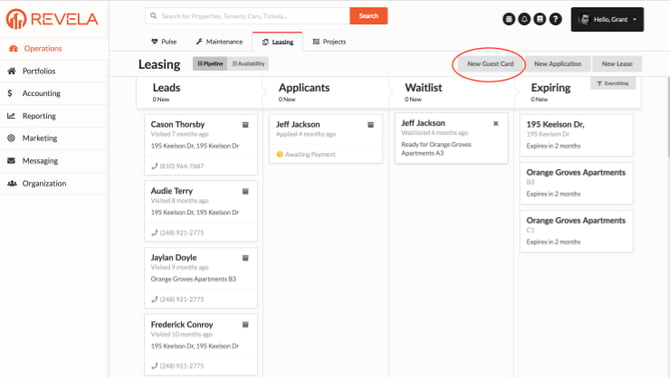
- Internal Users and Employees - Internal Users are able to generate Leads by clicking the ‘New Guest Card’ button on the Leasing Dashboard:
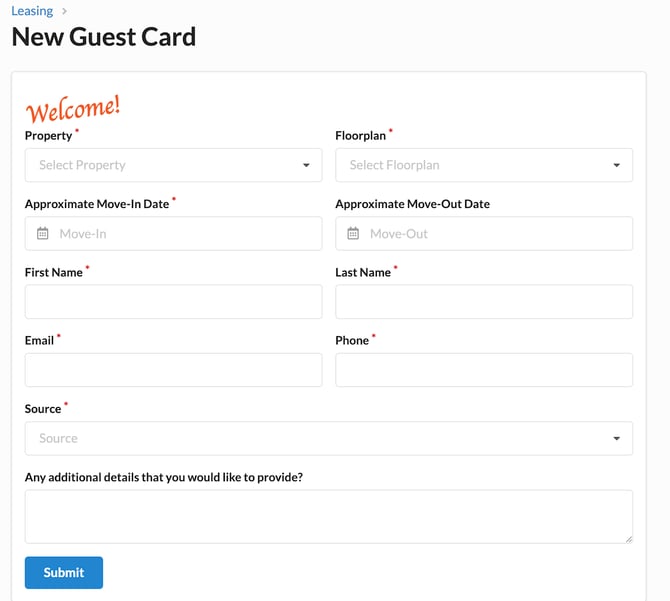
- By clicking this, you’ll be asked to fill out the following form: