
Property managers may need to collect funds from property owners to cover upcoming property expenses or projects, such as repairs, maintenance work, or capital improvements. Revela allows users to either request a contribution from an owner through the owner portal or record a contribution that was received outside of Revela so the transaction appears on the owner’s statement.
Requesting Contributions
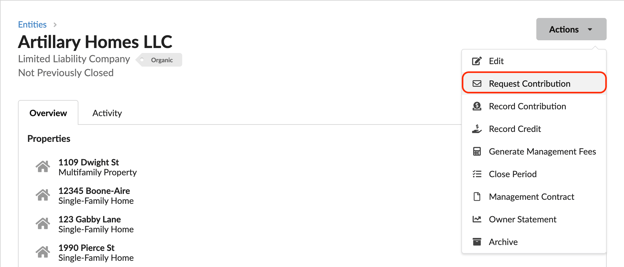
To request an owner contribution for a specific property, navigate to the entity the property belongs to and select Actions > Request Contribution.
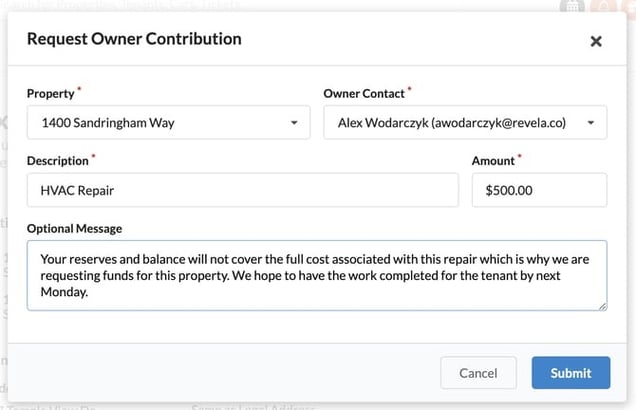
Enter the contribution request details in the pop up screen.
The Owner’s Experience When a Contribution is Requested
Upon requesting the contribution, the owner contact will receive an email notification that directs them to their owner portal to complete the transaction.
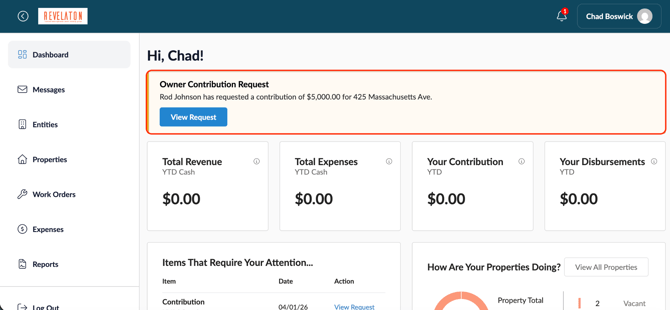
Within their owner portal, a banner will appear highlighting the request. The owner can click the banner and be directed to the payment page to complete the transaction and contribute funds.
Recording Contributions
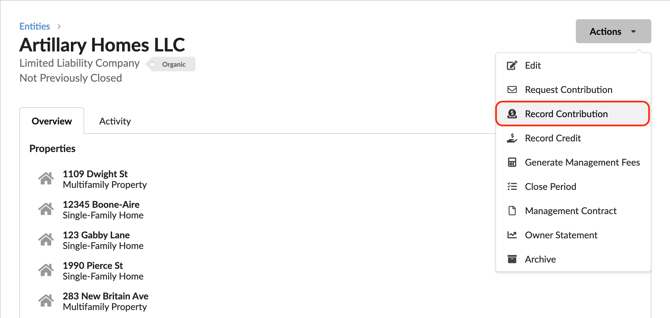
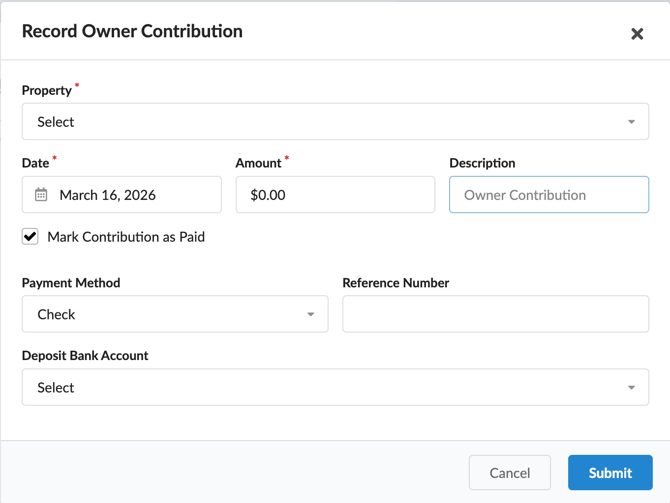
To record an owner contribution for a specific property that was received outside of Revela, navigate to the entity the property belongs to and select Actions > Record Contribution.
Enter the contribution details in the pop up screen and hit the submit button to record the transaction in Revela.
FAQ
I entered an invoice for an owner contribution, but don’t see it on the owner's statement.
Oftentimes if an invoice is entered manually for an owner contribution, and the process of recording or requesting a contribution outlined above isn’t used, you risk having inaccurate journal entities. The journal entries hitting the Due To/Due From accounts are what hit the owner statement, so if those are incorrect, an invoice will not appear.
Troubleshooting
- Double check the date you recorded the invoice and ensure you’re looking at the appropriate owner statement dates.
- Remove the invoice and recorded payment, and re-record using the appropriate contribution recording button on the entity page.