
The rental application is how prospective residents apply for a unit you've listed in Revela, and for many of them it's their first hands-on experience with your portfolio. Revela walks each applicant through the application one section at a time, shows them what's required before they begin, and lets every financially responsible member of the household fill out their own portion.
This guide follows the application from the applicant's side, from picking a unit to submitting and paying. Knowing what applicants see makes it easier to answer their questions and explain what's expected of them. What appears in each section depends on your settings, which are covered in How to Configure Rental Applications.
Understanding Applicant Roles
Every rental application is built around a household. The person who starts the application is the primary applicant, and everyone else in the household is added by the primary applicant from the Household section. Each person's role determines which sections of the application they complete and whether they receive their own invitation.
There are four roles in a rental application:
- Primary Applicant — Starts the application, selects the unit and move-in date, adds the rest of the household, and pays all application fees for the household.
- Co-Applicant — A financially responsible adult who will live in the unit. Co-applicants receive an email invitation and complete their own portion of the application.
- Guarantor — A financially responsible person who backs the lease but won't live in the unit. Guarantors also receive an email invitation, and their application is shorter than a co-applicant's.
- Additional Occupant — An adult or minor who will live in the unit but isn't financially responsible. The primary applicant enters their details directly, and they don't receive an invitation.
The difference between a co-applicant and a guarantor comes down to residency. Both are financially responsible, but only a co-applicant lives at the property. For that reason, a co-applicant provides residence history, references, emergency contacts, pets, and vehicles, while a guarantor provides only their personal details and income. Because each invitee enters their own information, the primary applicant never has to collect someone else's Social Security number, ID, or income documents to finish the application.
Selecting a Unit and Move-In Date
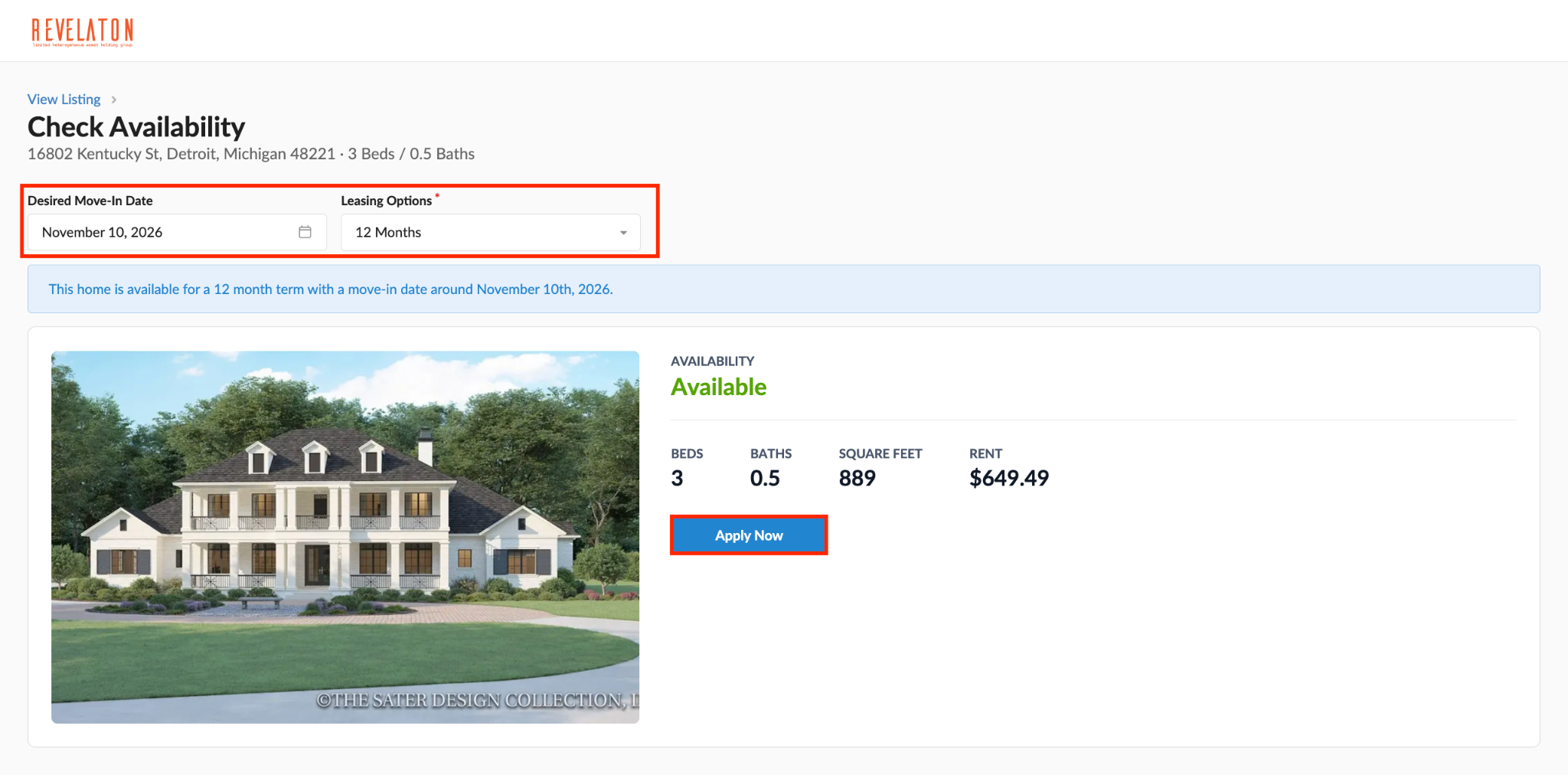
From your listing, the applicant picks a Desired Move-In Date (it defaults to tomorrow) and, if you've set up lease terms, a Leasing Option. Revela shows only the units available for that date and term, along with each unit's floor, square footage, rent, and availability. Units that are open now are labeled Available Now. The applicant clicks Apply Now on the unit they want, and their unit, move-in date, and term carry into the application.
Getting Started
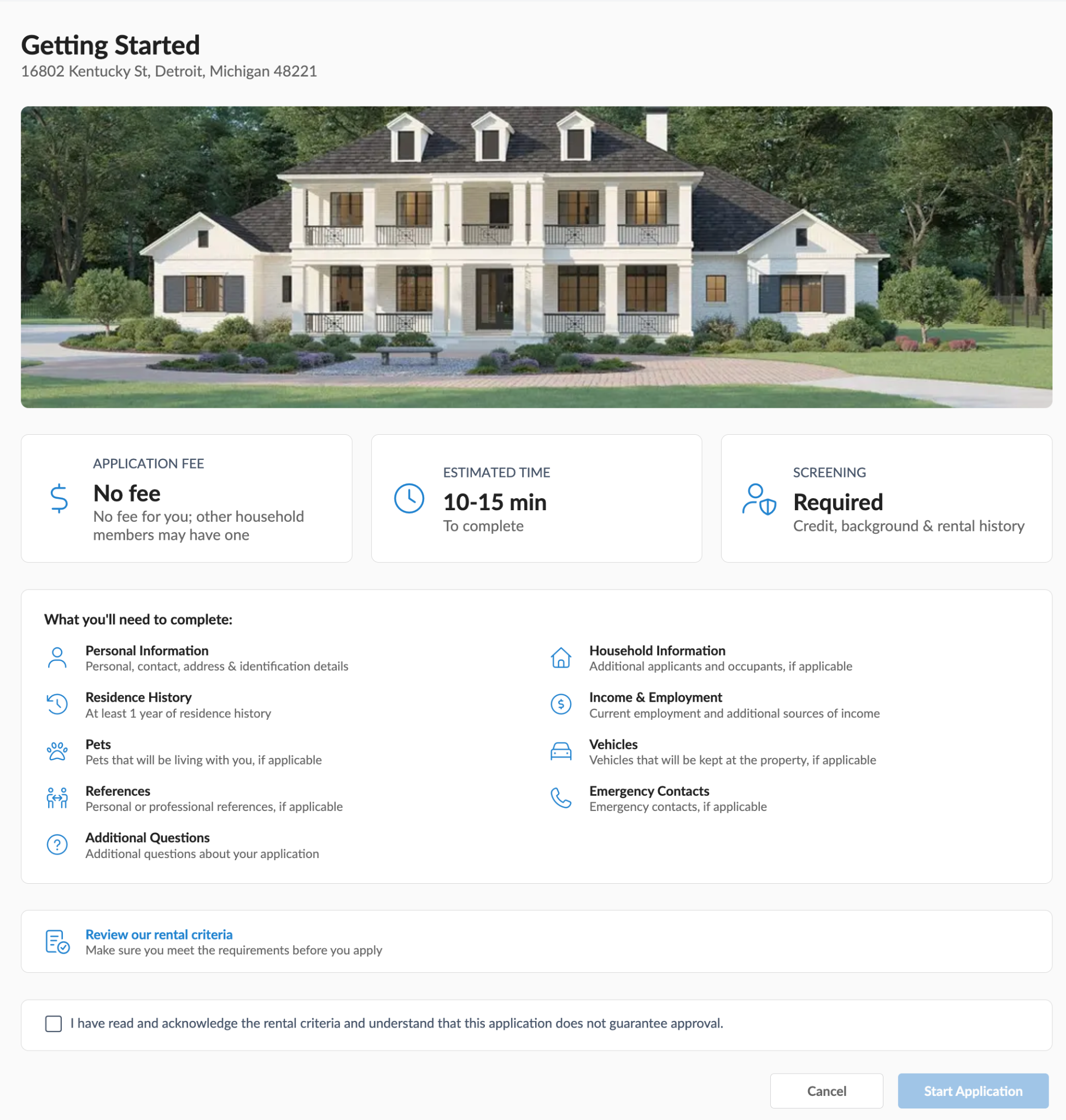
The first page sets expectations before the applicant puts in any time. It shows the listing photo, the application fee, the estimated time to complete, the screening requirements, and a list of the sections the applicant will need to fill out. The applicant opens your rental criteria in a pop-up window and checks a box to confirm they've read it. Only then can they click Start Application.
About You
About You collects the applicant's personal and contact details and their photo ID. Every applicant must finish this section first. After that, they can move between the remaining sections in any order using the menu on the left.
The forms check entries as the applicant goes. Address fields autocomplete, and fields such as phone numbers, email addresses, and dates show an error right next to the field if the format is wrong.
Household: Inviting Co-Applicants and Guarantors
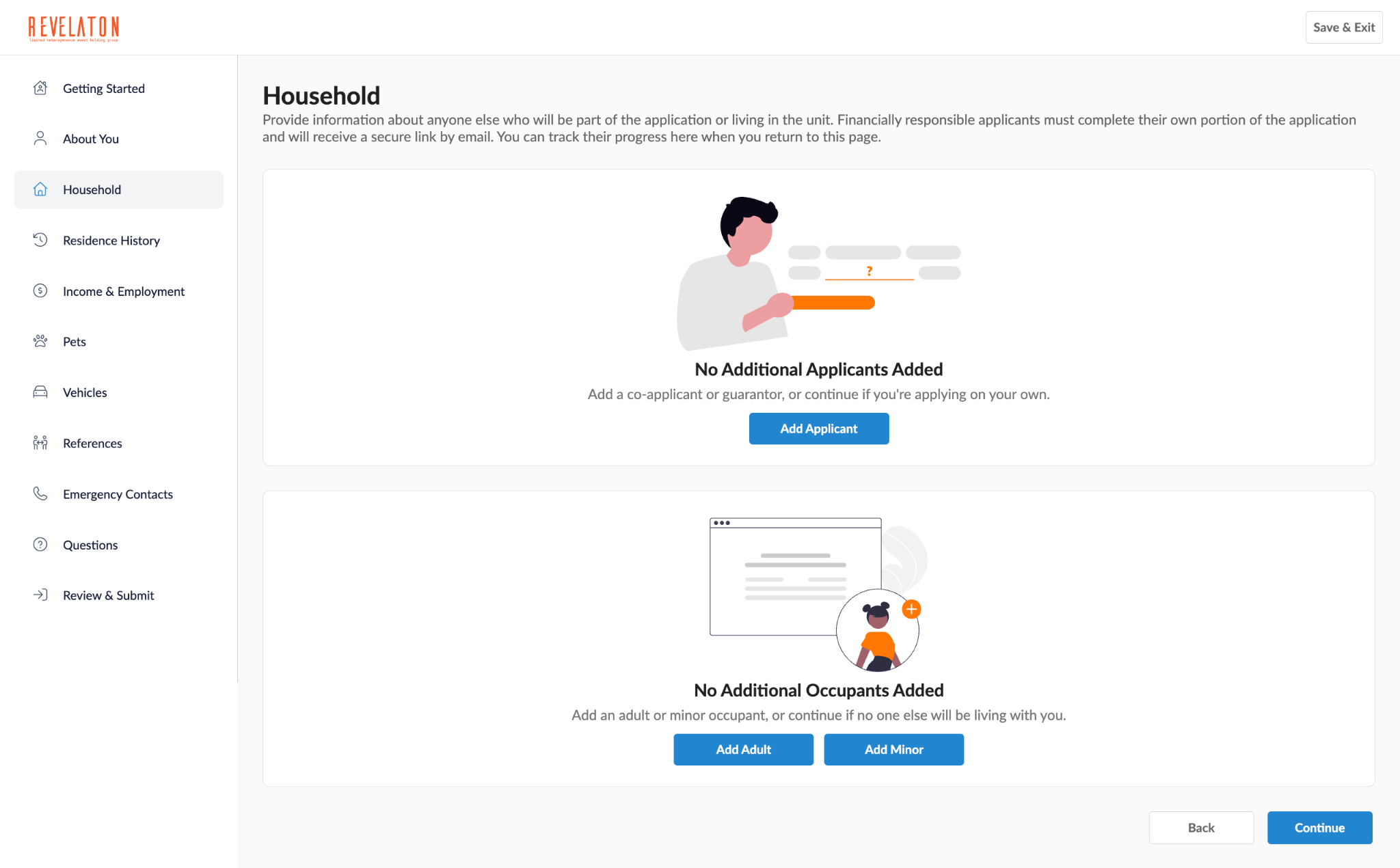
On the Household page, the primary applicant lists everyone who will be part of the application or live in the unit. There are two groups:
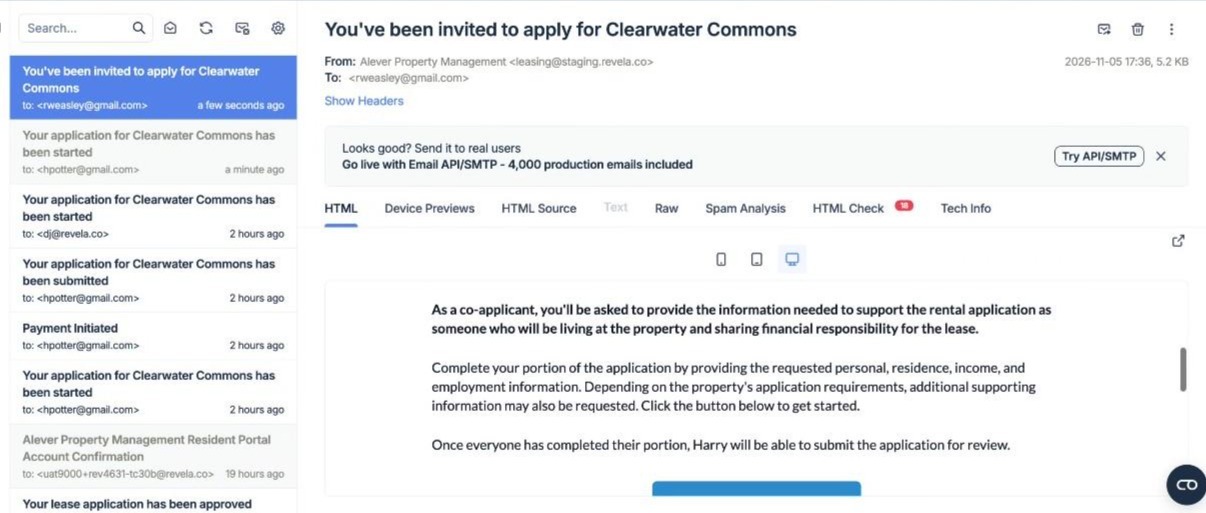
- Co-applicants & Guarantors each receive an email invitation with a secure link to their own portion of the application.
- Additional Occupants are added directly, and Revela collects only basic details for them; minors don't need a phone number or email address.
Each invitation email explains the person's role, so a guarantor understands they're backing the lease and not applying to live there. The primary applicant can follow each invitee's status (Invited, In Progress, or Completed) on the Household page. They can also click Resend Invite if someone hasn't started yet.
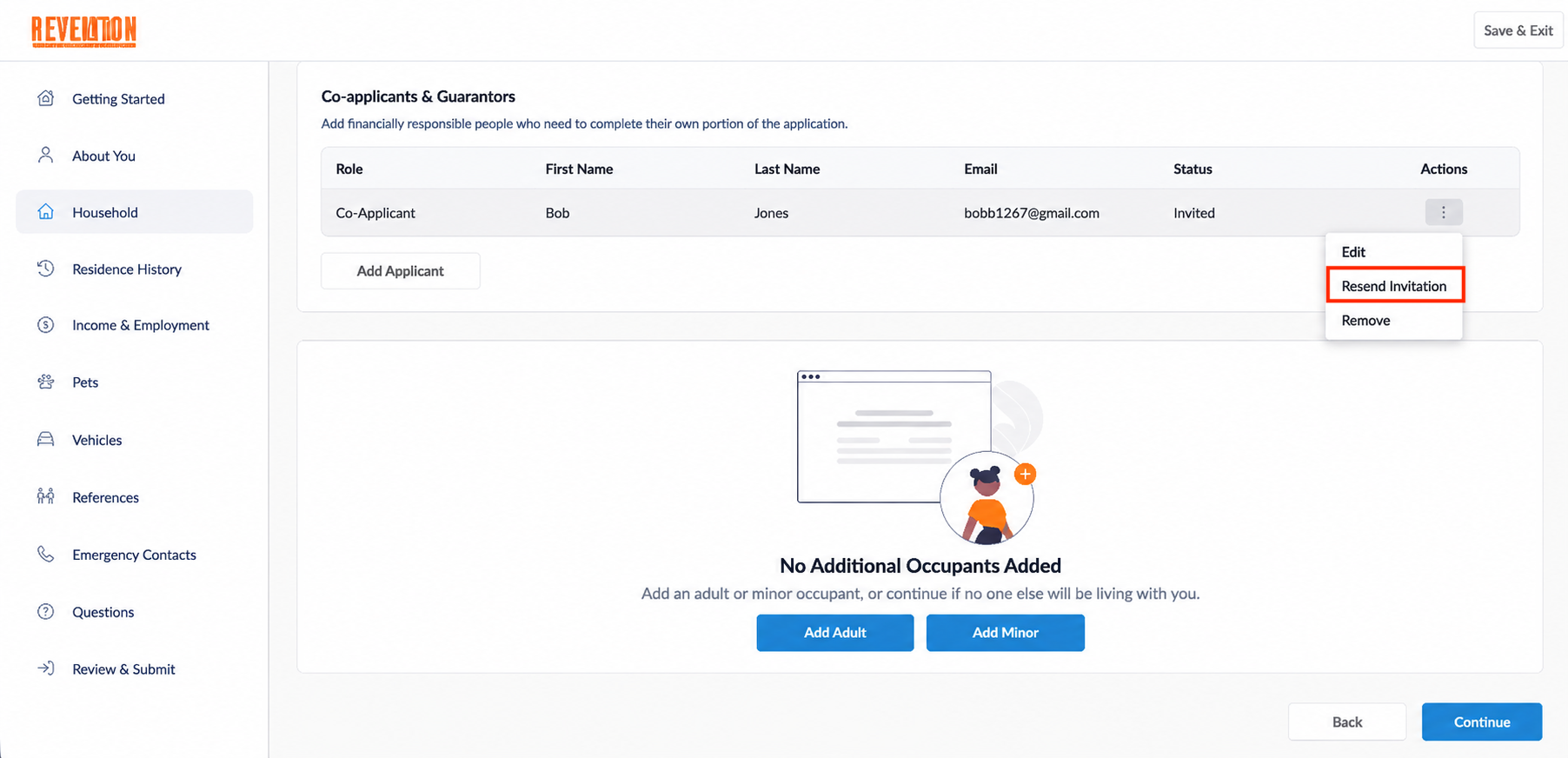
The primary applicant can add or remove household members at any time without restarting the application. Removing a co-applicant or guarantor turns off that person's link and sends them an email letting them know they've been removed.
Residence History, Income, References, and Emergency Contacts
Each of these sections uses a table where the applicant adds, edits, or deletes entries. When an entry falls short of your requirement (for example, only one year of residence history when you require two, or one reference when you require two), Revela shows a warning banner above the table. The banner doesn't stop the applicant from moving to other sections, but they can't submit until the requirement is met.
Note: The Income & Employment section lists current employment and other income sources together and adds up a Total Monthly Income for the applicant. If you require proof of income, the upload area appears in this section, so applicants see exactly which documents you accept and why they're needed.
Pets and Vehicles
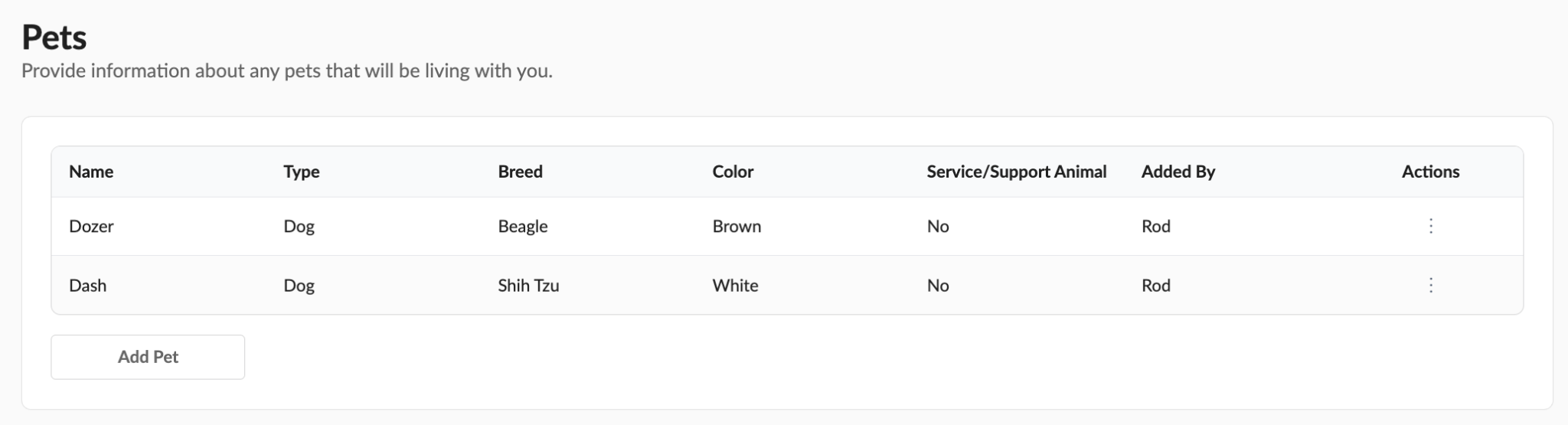
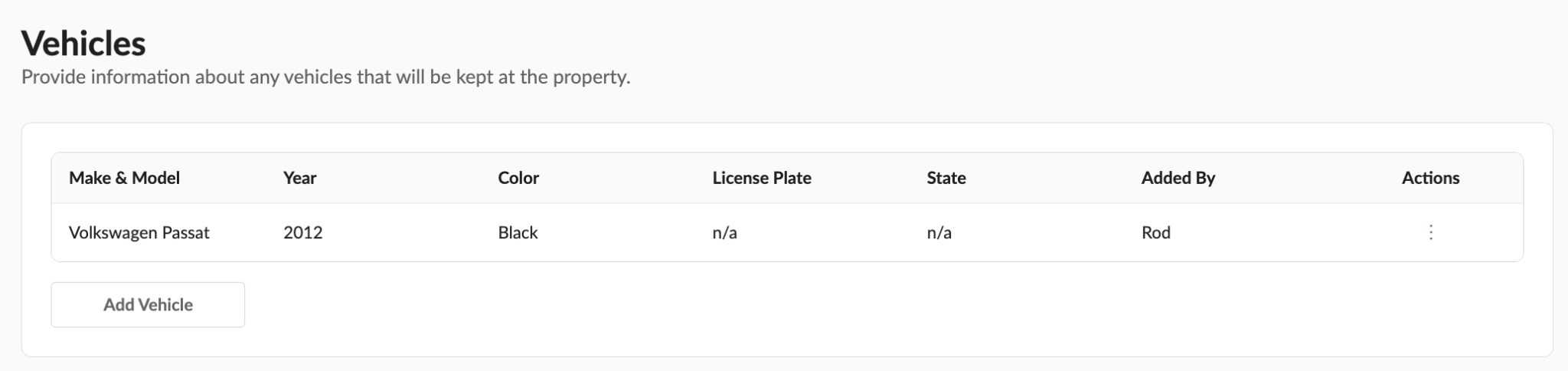
Pets and vehicles are tied to the household member who owns them, so it's clear who is responsible for each one, including if that person later leaves the household. For a single-applicant household, the ownership column is hidden.
Saving Progress and Returning Later
Applicants don't need to finish in one sitting. Most sections save automatically as the applicant works. About You and Questions save when the applicant moves to another page. Save & Exit in the header sends the applicant back to your listings with their progress kept, and they pick up where they left off through a link they receive in their email when they return before the application expires.
If an applicant clicks to delete something, such as a household member, reference, or pet, Revela asks them to confirm first so nothing is removed by mistake.
Review & Submit
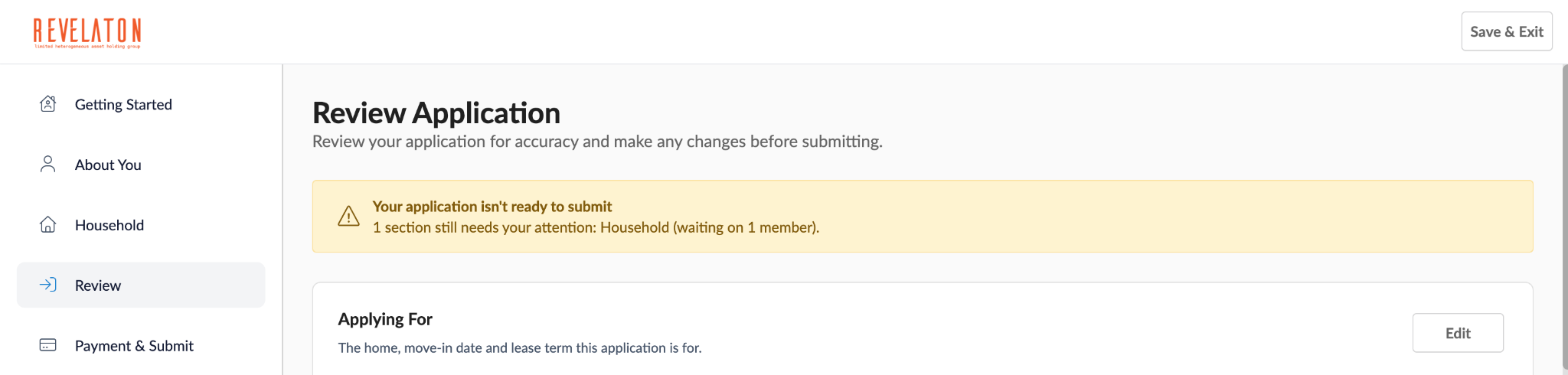
Review & Submit shows a short summary of each section the applicant completed. Sensitive details such as Social Security numbers and uploaded ID documents are left out of the summary. To finish, the applicant checks the certification box and types their full legal name as a signature.
Co-applicants and guarantors click Submit here to finish their portion. The primary applicant clicks Continue to go to Payment or, if there's no fee, Submit.
Submission and Payment
Revela only submits an application package once it's complete. If a co-applicant or guarantor hasn't finished their portion, the primary applicant sees a banner naming who is still outstanding, and payment and submission stay on hold until everyone is done. The primary applicant can keep reviewing and editing their own information while they wait.
The primary applicant pays every fee for the household in one payment, including any co-applicant and guarantor fees. The Order Summary lists each fee separately, along with any processing fee, so the total is clear before paying. Applicants can pay by credit card, debit card, or E-Check (ACH) if you've allowed ACH. If the total fee is $0, the Payment section is skipped and the primary applicant submits from Review & Submit.
After submission, applicants get a confirmation email with a PDF summary of their application attached.
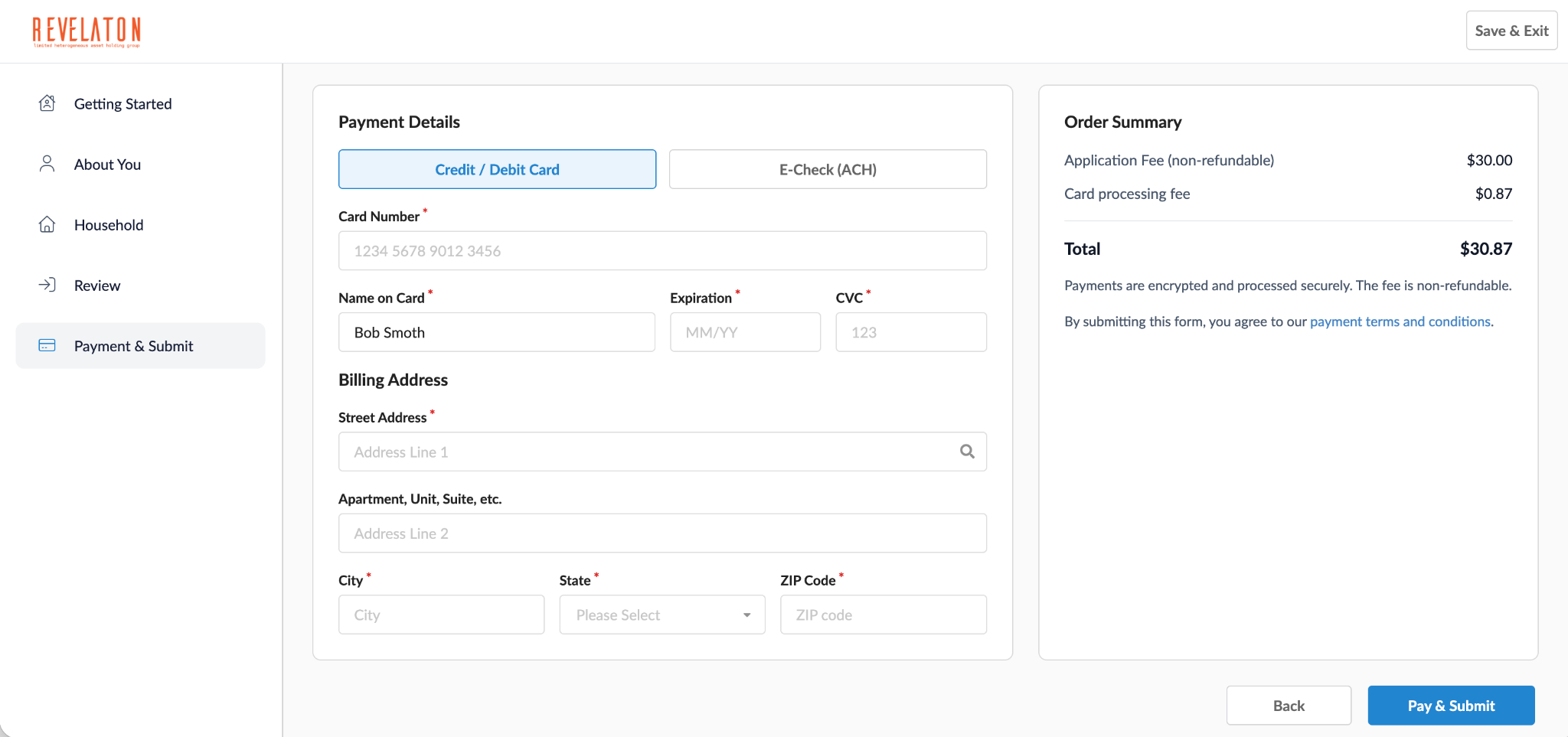
Note: ACH payments can take up to three business days to process, and applicants are told to keep enough money in their account until the payment clears.
Expired Applications
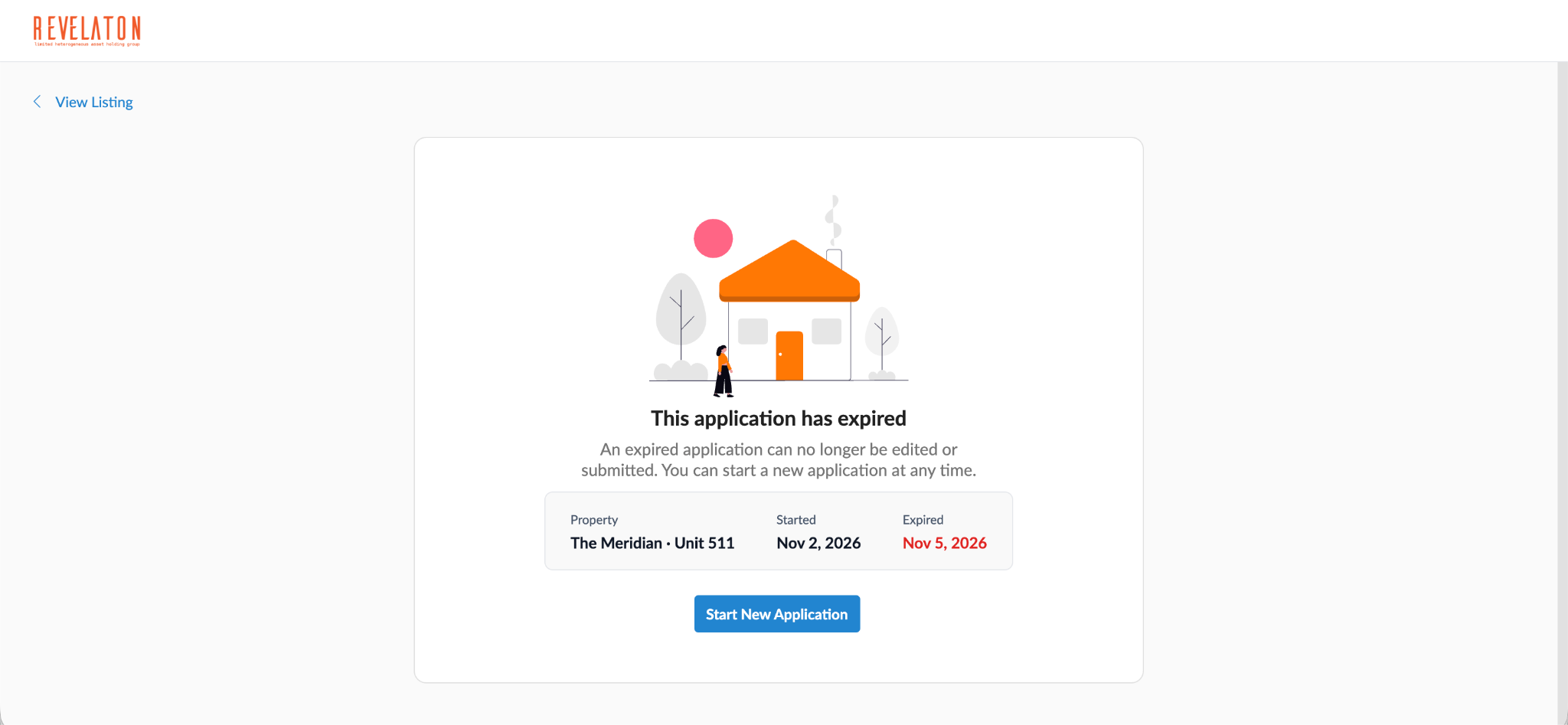
An application expires when the applicant hasn't submitted it within the Application Lifespan you set. After that, it can't be edited or submitted. When the applicant opens their link, Revela shows what happened and what they can do next:
- If the unit is still available, the applicant can click Start New Application to begin again for the same unit. Information from the expired application doesn't carry over.
- If the unit is no longer available, the applicant can click Browse Available Homes to see your current listings.
Emails Applicants Receive
When any applicant type starts an application, they receive a confirmation email with a link to return to their application, and are also informed of the application’s expiration date, so they know how to proceed without needing to contact your office. Other emails that are sent include:
- An invitation to each co-applicant and guarantor, with a secure link and an explanation of their role.
- A "Continue your application" reminder for primary applicants, co-applicants, and guarantors who haven't finished their portion of the application.
- A confirmation to each co-applicant and guarantor when they've submitted their portion
- An update to the primary applicant when other household members are still outstanding, and again once everyone has submitted.
- A notice to anyone the primary applicant removes from the household.
- A payment receipt, plus a confirmation email with a PDF summary after the final submission.
How Revela Counts Started Applications
An application counts as started once the applicant completes the About You section, not as soon as they enter an email address. This keeps your abandoned-application numbers focused on people who actually began applying, not visitors who only entered an email and left.
Tips & Best Practices
- When an applicant calls because they can't submit, check the Household statuses first. In most cases, a co-applicant or guarantor hasn't finished their portion. The primary applicant can click Resend Invite from the Household page instead of starting over.
- If an invited co-applicant or guarantor says they never got their email, have the primary applicant confirm the email address on the Household page, then click Resend Invite.
- Let applicants know up front that the primary applicant pays all household fees. Setting that expectation early avoids surprises at checkout and avoids refund requests when someone drops out.
- Remind households waiting on a co-applicant or guarantor that the application has a deadline. If it expires, they'll need to start a new application, and nothing they entered carries over.